

%20(2).svg)

NEW: EP-200N AMC Edge SoM.
Powered by NXP® i.MX 95, delivering secure, safe and reliable connectivity for industrial and medical applications.
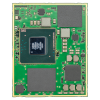
Powered by NXP® i.MX 95, delivering secure, safe and reliable connectivity for industrial and medical applications.
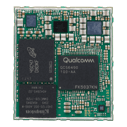
AMC Edge SoM, enabled by Qualcomm SoC QCS6490 for on-device AI.
The EP-200Q can be evaluated with the EP-200Q-EVK, a comprehensive development and prototyping kit designed to accelerate your path from evaluation to production.
The EP-200Q-EVK firmware is based on the Qualcomm Intelligent Multimedia SDK and comes pre-installed with a range of tools and sample applications to help you quickly evaluate the module's capabilities, including:
Before getting started, please ensure you have the following hardware and software available.
To begin the evaluation process, fill out the form above to download the EP-200Q-EVK User Guide and follow the step-by-step instructions.