

%20(2).svg)

Posted by Sarah Torjman, August 13, 2026
IW623 Linux Setup & Driver Loading Guide for i.MX 93 EVK
Configure IW623 Wi-Fi and Bluetooth connectivity using the NXP i.MX 93 EVK Getting Started Guide
After completing the hardware setup on the i.MX 93 EVK (as covered in the hardware readiness guide blog), the next step in IW623 evaluation is configuring the Linux software environment and, when needed, installing or updating the required drivers and firmware
The NXP Getting Started Guide walks through the Linux software setup and wireless bring-up process for IW623 evaluation, including:
- Installing the IW623 firmware files
- Loading the Wi-Fi driver modules
- Initializing Bluetooth connectivity
- Verifying Wi-Fi and Bluetooth interfaces
This guide summarizes the Linux software setup procedures described in the NXP Getting Started Guide for evaluating the IW623 wireless chipset using the Silex SX-SDMAX6E module with the i.MX 93 EVK.
1. IW623 Software Setup Overview
After the hardware setup is complete, the NXP Getting Started Guide walks through the software steps used to enable IW623 wireless functionality on the i.MX 93 EVK.
The software setup process includes:
- Installing the IW623 driver and firmware files
- Loading the Wi-Fi driver modules
- Initializing Bluetooth support
- Verifying Wi-Fi and Bluetooth interfaces
The following sections summarize the software installation and validation procedures described in the NXP Getting Started Guide.
2. IW623 Software Components
The NXP Getting Started Guide uses the following software components during IW623 evaluation:
- mlan.ko – Wi-Fi driver module
- moal.ko – Wi-Fi driver module responsible for loading firmware and initializing the IW623 device
- btnxpuart – Bluetooth UART driver
- IW623 firmware files – firmware files used during wireless initialization
During the evaluation process:
- Wi-Fi communication uses the SDIO interface.
- Bluetooth communication uses the UART interface.
The following sections describe the driver loading and interface validation steps outlined in the NXP Getting Started Guide.
3. Step 1 — IW623 Firmware Setup
When updating or modifying the IW623 firmware, copy the required firmware files to the expected location.
Create the firmware directory:
cd /lib/firmware
mkdir -p nxp
Copy the IW623 firmware file:
cp FWImage/sduartaw693_combo_v1.bin.se /lib/firmware/nxp/
The NXP Getting Started Guide uses the following command to review driver messages during initialization:
dmesg | grep moal
4. Step 2 — Wi-Fi Driver Initialization
Load the IW623 Wi-Fi driver modules:
cd /home/root/bin_wlan
insmod moal.ko fw_name=nxp/sduartaw693_combo_v1.bin.se cfg80211_wext=0xfc al_data_cfg=none auto_ds=2 ps_mode=2 host_mlme=1
Verify the available wireless interfaces:
- ifconfig -a
The NXP Getting Started Guide verifies Wi-Fi interface creation using:
- mlan0 – Wi-Fi interface
- uap0 – Wi-Fi access point interface
5. Step 3 — Bluetooth Initialization
Initialize Bluetooth support using the Linux kernel UART driver:
modprobe btnxpuart
hciconfig hci0 reset
hciconfig -a
The NXP Getting Started Guide verifies Bluetooth initialization through the HCI interface, with hci0 representing the Bluetooth controller interface.
6. Step 4 — Wi-Fi Interface Activation
Bring up the Wi-Fi interfaces:
- ifconfig mlan0 up
- ifconfig uap0 up
7. Step 5 — Wi-Fi Station Mode Validation
Configure the Wi-Fi station interface using the WPA supplicant utility:
wpa_supplicant -imlan0 -Dnl80211 -c/etc/wpa_supplicant.conf -B
udhcpc -i mlan0
Verify the network interface status:
ifconfig mlan0
8. Step 6 — Access Point Mode Validation
Configure the Wi-Fi access point interface:
ifconfig uap0 192.168.1.2 netmask 255.255.255.0
Start the DHCP service to assign IP addresses to connected client devices:
udhcpd /etc/udhcpd.conf
Start the access point service:
hostapd /etc/hostapd.conf -B
The access point configuration is defined in the hostapd configuration file before starting the service.
SX-SDMAX6E Integration Context
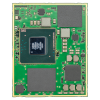
The SX-SDMAX6E module is based on the NXP IW623 wireless chipset and provides a hardware platform for evaluating Wi-Fi and Bluetooth connectivity on embedded Linux systems, including NXP i.MX 93 EVK environments.
Key characteristics include:
- Tri-band Wi-Fi 6E support (2.4 GHz / 5 GHz / 6 GHz)
- Bluetooth 6.1 connectivity via UART
- SDIO 3.0 interface for Wi-Fi communication
- Industrial operating temperature range (-40°C to +85°C)
Summary
This guide summarized the Linux software setup and validation workflow described in the NXP Getting Started Guide.
- IW623 firmware installation
- Wi-Fi driver initialization using mlan.ko and moal.ko
- Bluetooth initialization using btnxpuart
- Wi-Fi interface validation
- Bluetooth interface validation
- Wi-Fi station mode and access point mode testing
Early Access Program: SX-SDMAX6E Evaluation Access
For engineering teams evaluating IW623-based Wi-Fi and Bluetooth connectivity on NXP i.MX platforms, the SX-SDMAX6E Early Access Program provides access to evaluation modules, technical resources, and support for embedded Linux development workflows.